In technology, a sandbox is an isolated, secure environment where you can run programs or execute code without affecting the rest of your system. Think of it like a physical sandbox for children: they can build, play, and knock things over inside the box, but the mess stays contained and doesn’t spill over into the rest of the yard.
How a Sandbox Works?
A sandbox creates a “bubble” around an application. The application believes it is interacting with a full computer, but in reality, it is restricted by:
- Resource Isolation: It can only see specific parts of the CPU, memory, and storage.
- Restricted Permissions: It cannot access your private files, camera, or microphone unless explicitly allowed.
- Network Blocking: Many sandboxes prevent the program from talking to the internet, which stops malware from “calling home” to its creator.

Common Types of Sandboxes
You likely use sandboxing every day without realizing it:
- Web Browser: It prevents a malicious website from hacking your actual computer. e.g. Google Chrome tabs run in individual sandboxes.
- Mobile Apps: It keeps apps from stealing data from each other (e.g., Instagram can’t read your banking app’s data). e.g. iOS and Android app “sandboxing“.
- Development: It allows coders to test new features without breaking the “live” version of a website. e.g. A “staging” or “dev” environment.
- Cybersecurity: It is used by experts to open suspicious email attachments to see if they contain viruses. e.g. Windows Sand-box or Any.run.
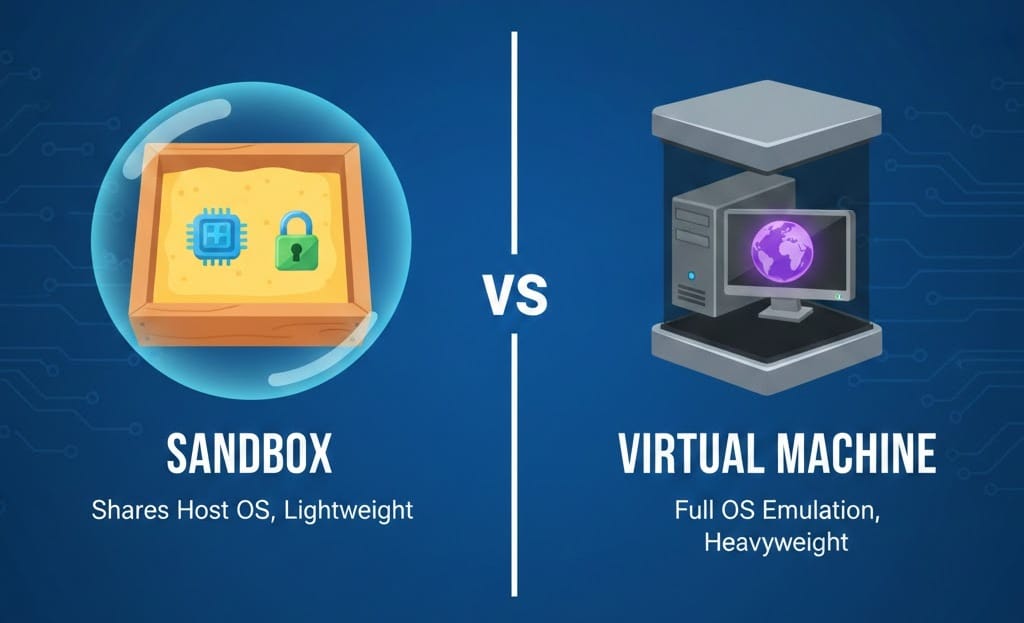
Key Differences: Sandbox vs. Virtual Machine
While they are similar, they have a key technical difference:
- Sandbox: Usually shares the host’s Operating System (OS) but restricts the application’s view. It is lightweight and fast.
- Virtual Machine (VM): Simulates an entire computer, including a separate Operating System. It is much more “heavy” and uses more RAM/CPU but provides even stronger isolation.
Why Should One Use a Sandbox?
- Security: If you accidentally run a virus inside a sandbox, you can simply “delete” the sandbox, and the virus disappears without ever touching your real files.
- Testing: Developers can try out radical changes to software; if the code crashes the sandbox, the main system remains stable.
- Privacy: It prevents apps from “overreaching” and snooping into parts of your device they don’t need to access.