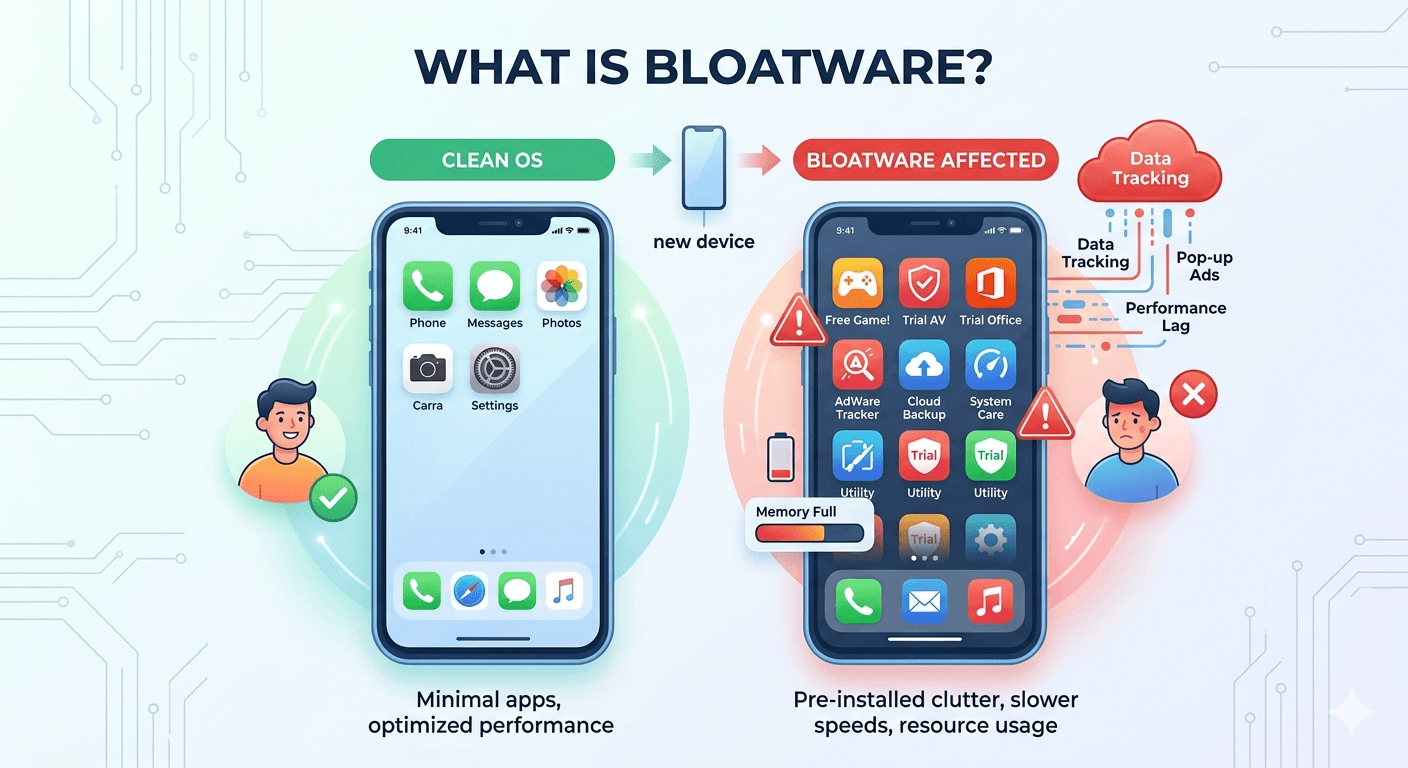
Bloatware refers to software that comes pre-installed on a device (smartphone, laptop, or tablet) that the user didn’t ask for and often doesn’t want. These programs consume system resources like storage space, memory (RAM), and battery life, despite often serving little to no purpose for the average user.
Manufacturers often include these apps through paid partnerships with software developers to help lower the retail price of the hardware.
Why is it Called Bloatware?
The term comes from the way these apps bloat the operating system. They take up valuable real estate on your drive and can slow down the overall performance of a brand-new machine.
Common Types of Bloatware
- Trialware: Limited-time versions of antivirus programs or office suites that constantly prompt you to buy the full version.
- Manufacturer Utilities: Branded tools for system updates, cloud storage, or support centers that often duplicate features already built into Windows or Android.
- Adware: Programs designed to show you advertisements or track your browsing habits to serve targeted ads.
- Pre-installed Apps: Carriers or manufacturers pre-install games like Candy Crush, social media apps, and streaming services directly into the system.

Impact of Bloatware on Your Device
- Storage Exhaustion: Bloatware can occupy several gigabytes of space, which is especially frustrating on devices with limited internal storage.
- Slower Boot Times: Many of these apps launch automatically when you turn on your device, extending the time it takes to reach the desktop.
- Background Processes: Even if you never open the app, it may run processes in the background, eating up RAM and draining your battery faster.
- Security Risks: By rarely updating pre-installed software, manufacturers leave backdoors or vulnerabilities that hackers can exploit.
How to Deal With Bloatware?
You can uninstall most bloatware through the standard “Apps & Features” menu on Windows or the “App Info” section on Android. However, you cannot delete some system-level bloatware. In those cases, the best option is to Disable or Deactivate the app. This prevents it from running in the background or appearing in your app drawer, even if the files remain on the storage drive.