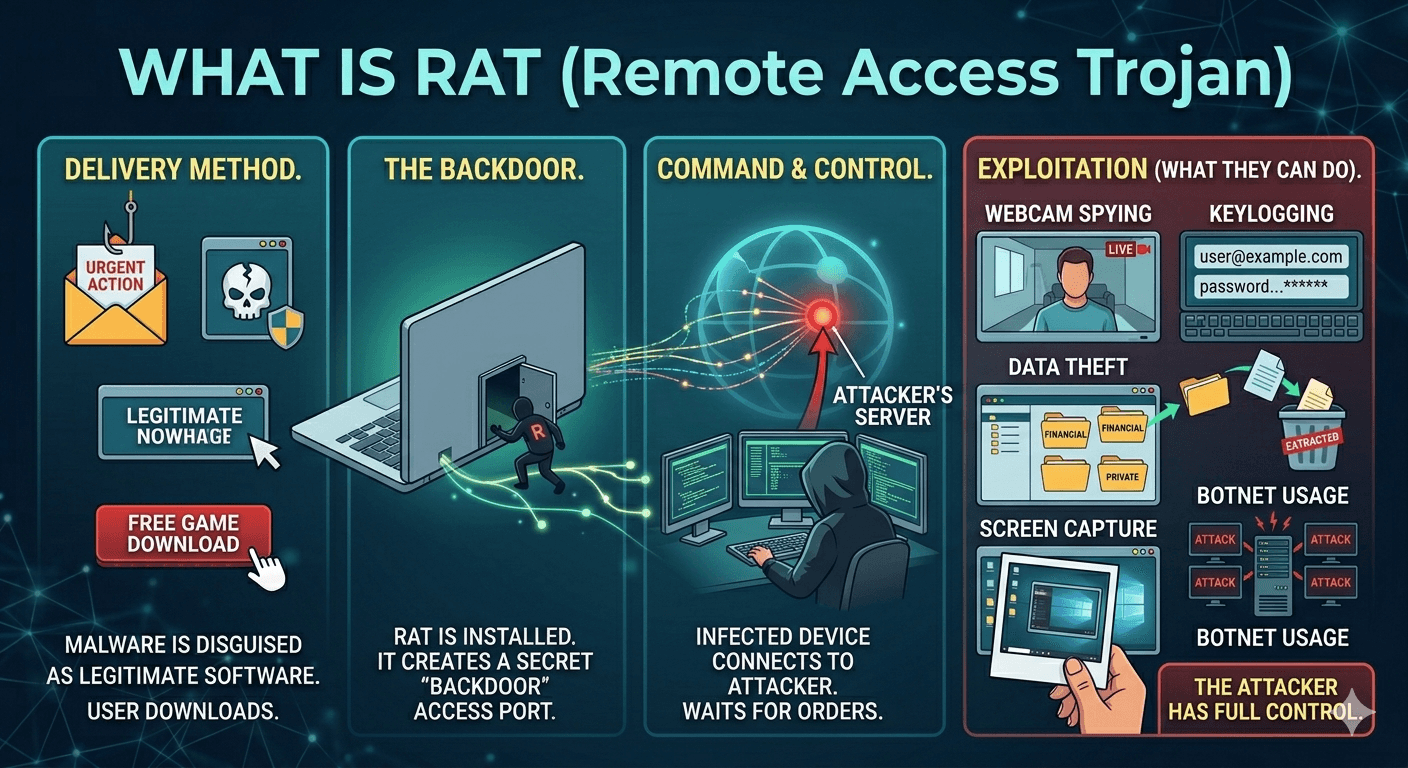
A Remote Access Trojan (RAT) is a type of malware that allows a hacker to take full administrative control over a target computer or device. Unlike most viruses that delete files or show ads, a RAT operates silently, giving the attacker “eyes and ears” inside your system.
How a Remote Access Trojan (RAT) Operates?
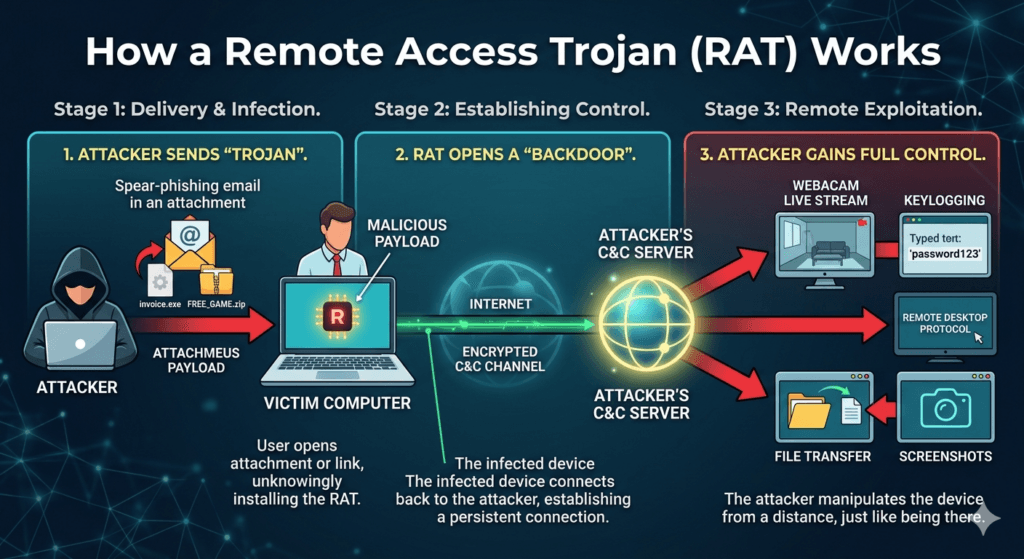
Attackers typically disguise RATs as legitimate software, such as a game, a free utility, or an email attachment. Once a user unknowingly installs the file, the Trojan opens a backdoor for the attacker. Key characteristics include:
- Stealth: Attackers design them to be invisible. They don’t usually slow down the computer or trigger obvious warnings.
- Persistent Access: The malware often embeds itself into the system’s startup process, ensuring the attacker regains access every time you turn on the computer.
- Command and Control (C&C): The infected computer connects to a remote server managed by the hacker, who then sends instructions to the RAT.
Capabilities of an Attacker
Once a RAT is active, the attacker can perform almost any action as if they were sitting directly in front of your screen:
- Surveillance: They can activate your webcam and microphone to watch or listen to you in real-time.
- Keylogging: Every keystroke you type (passwords, credit card numbers, private messages) is recorded and sent to the attacker.
- File Manipulation: They can view, delete, download, or upload files. This is often used to steal sensitive documents or plant further malware.
- Screen Capture: The attacker can take screenshots or view a live stream of your desktop.
- Distributed Denial of Service (DDoS): They can use your computer’s resources to join a botnet and attack other websites or networks.
Common Delivery Methods
Hackers rarely hack a computer directly. They usually trick the user into letting them in.
- Phishing: Malicious links or urgent attachments in emails.
- Trojanized Software: Modified versions of popular software or cracked versions of paid apps.
- Drive-by Downloads: Visiting a compromised website that exploits browser vulnerabilities to install the RAT automatically.
How to Protect Yourself?
- Use Robust Security: Keep your Operating System and antivirus software updated. Many RATs are caught by modern heuristic scanning.
- Practice Skepticism: Avoid downloading software from unofficial sources or clicking on suspicious attachments, even if they appear to come from someone you know.
- Monitor Performance: Check your Task Manager (Windows) or Activity Monitor (Mac) for unfamiliar processes that are using high amounts of network data.
- Hardware Privacy: Use a physical webcam cover when the camera is not in use.