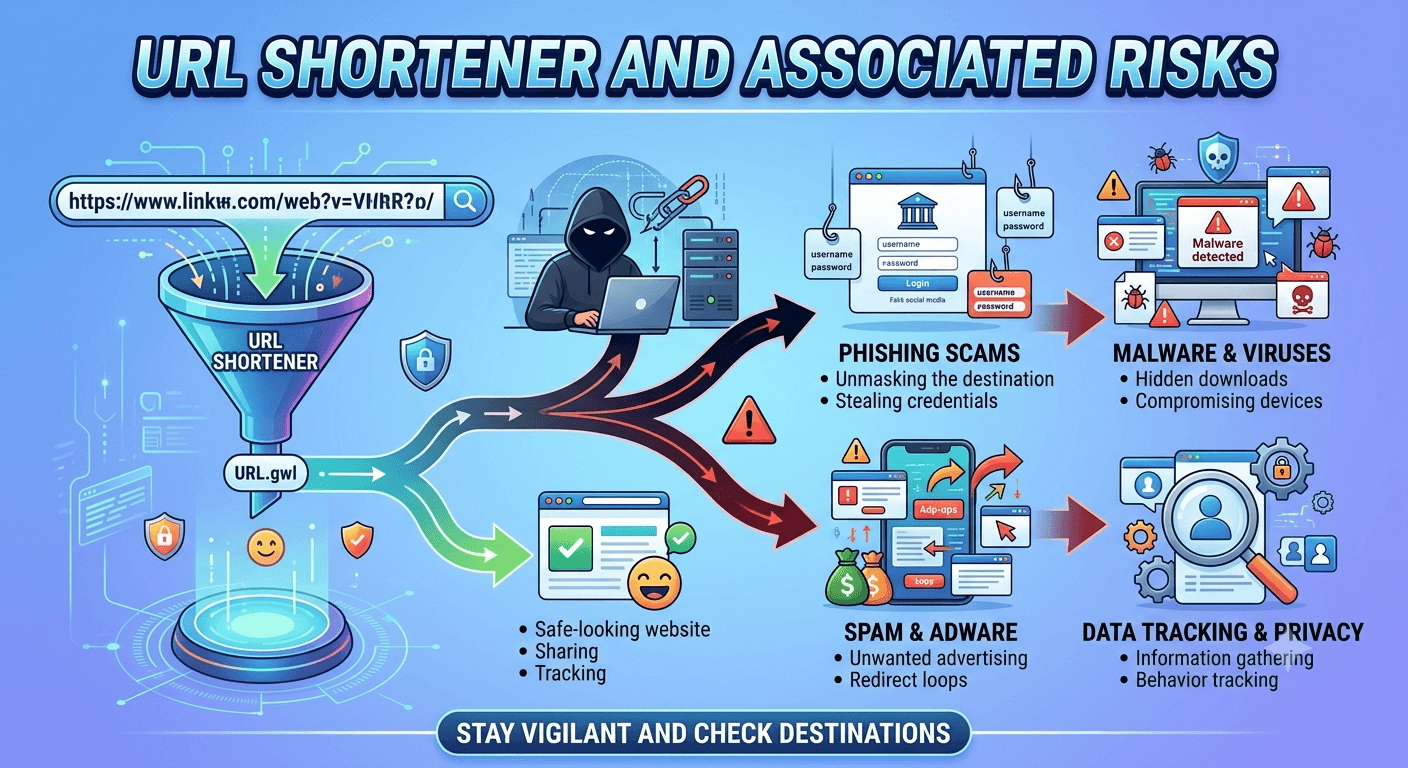
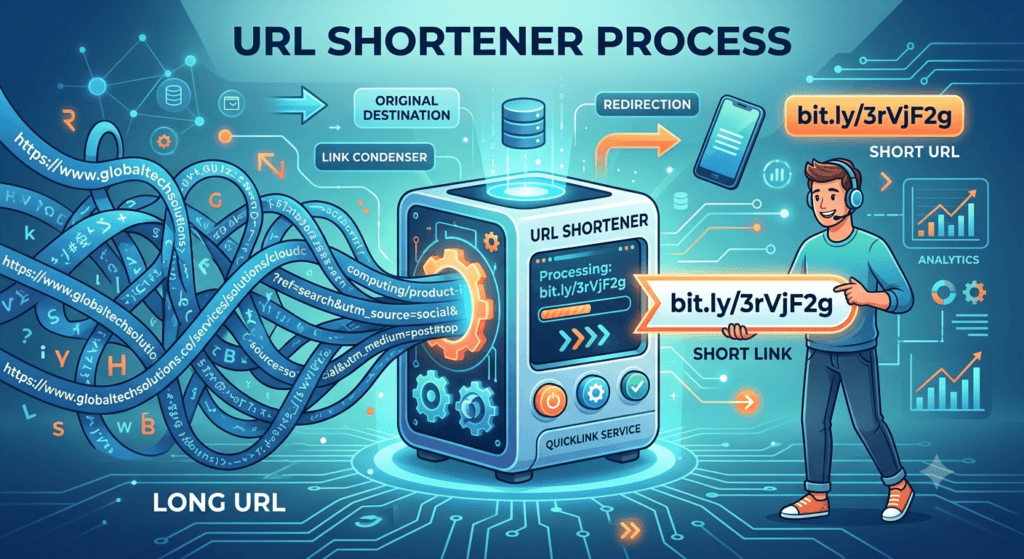
URL shortener is a digital tool that translates a long complex web address (URL) into a much shorter, manageable link. For example, a sprawling link like https://www.example.com/shop/products/category/item-id-987654?ref=share&utm_source=twitter can be condensed into something as simple as bit.ly/3xY7zK.
When a user clicks the shortened link, the platform’s server automatically redirects them to the original, long destination URL using HTTP status codes. They are incredibly popular on platforms like X/Twitter, in SMS marketing, and on printed materials like flyers or business cards.
While highly convenient, URL shorteners introduce several significant security and privacy risks.
Risks Associated with URL Shorteners
- Lack of Transparency (The “Blind” Click): The biggest inherent risk of a shortened URL is that it hides the final destination. Because you cannot see the actual domain name, it is impossible to verify if the link is safe.
- Phishing and Malware Hubs: Cybercriminals frequently exploit URL shorteners to bypass security filters.
- Bypassing Blocklists: Security software and email filters often block known malicious domains. However, they may allow a link from a reputable shortening service (like Bitly or TinyURL) to pass through.
- Malicious Payloads: Shortened links are heavily used in phishing emails, SMS scams (smishing), and social media fraud to trick users into visiting fake login pages or automatically downloading malware/ransomware.
- Link Rot and Service Dependence: Shortened links are entirely dependent on the service that created them.
- If the URL shortening company goes out of business, suffers a massive server outage, or shuts down a specific feature, every single link created through them breaks instantly (resulting in a 404 error).
- A famous example is when Google shut down its goo.gl URL shortener, which gradually stopped supporting old links, rendering millions of shared URLs useless over time.
- Privacy Concerns and Tracking: URL shorteners don’t just shrink links but they also track them. Most services provide analytics to the person who generated the link. When you click a shortened URL, the service can capture:
- Your IP address and approximate geographic location.
- The time and date of the click.
- Your device type, operating system, and browser info.
- The “referrer” (the platform where you found the link).
- Brute-Force Scanning and Data Exposure: Many URL shorteners use predictable, short combinations of characters (e.g., tinyurl.com/abc12). Attackers can use automated scripts to systematically guess millions of these short combinations (a brute-force attack). If someone uses a URL shortener for private links such as unlisted cloud storage folders, private map routes, or digital invoices bad actors can discover and access that sensitive data simply by guessing the random short string.
How to Protect Yourself from Link/URL Shortened using a URL Shortener?
If you encounter a shortened URL and are hesitant to click it, you can safely inspect it using these methods:
- Use an Unshortening Tool: Websites like CheckShortURL or Unshorten.it allow you to paste a short link to see the true destination and a safety report before you click.
- The “Plus Sign” Trick: For some major services (like Bitly), adding a plus sign (+) to the very end of the short URL (e.g., bit.ly/3xY7zK+) and entering it into your browser will take you to an information page showing the original long URL and traffic stats, rather than redirecting you to the target site.