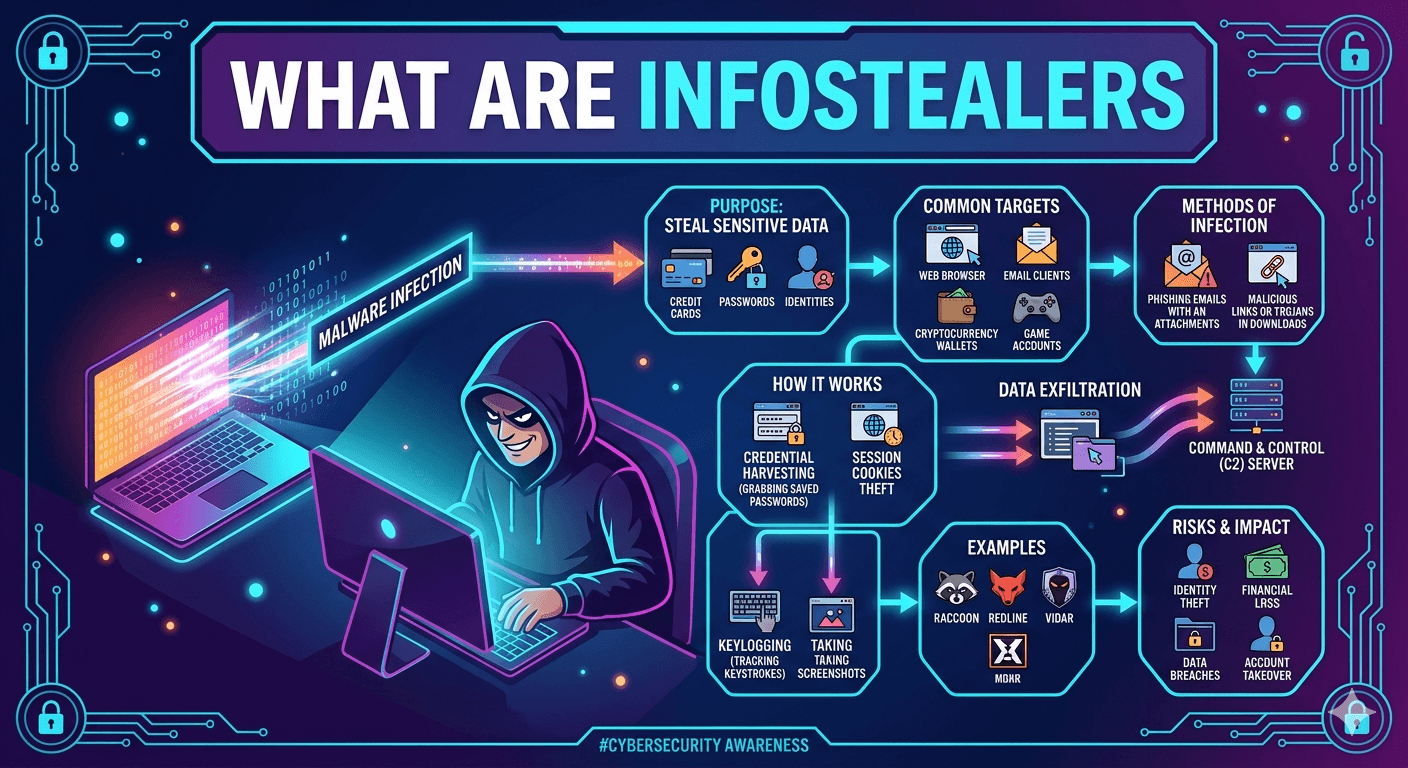
Infostealers (Information Stealers) are a type of Trojan horse malware specifically designed to infiltrate a system and exfiltrate sensitive data. Unlike ransomware, which locks you out of your files, or miners, which steal your processing power, infostealers operate quietly in the background to harvest high-value credentials.
How Infostealers Work?
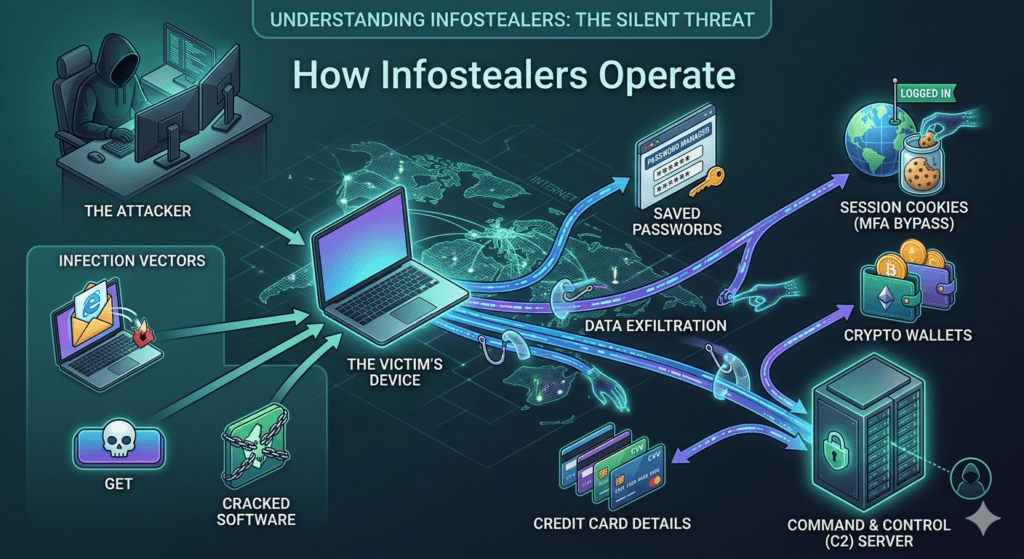
They typically enter a system through phishing emails, malicious cracked software, or poisoned search engine results (SEO poisoning). Once executed, they perform a rapid sweep of the following areas:
- Browser Data: They extract saved passwords, credit card details, and session cookies. These cookies are particularly dangerous because they can allow attackers to bypass Multi-Factor Authentication (MFA) by hijacking an already logged-in session.
- Crypto Wallets: Many stealers scan for browser extensions or desktop apps related to cryptocurrency to drain private keys and seed phrases.
- System Metadata: They collect IP addresses, hardware specifications, and screenshots of the desktop to help attackers profile the victim.
- Messaging Apps: They often target data from apps like Telegram, Discord, or Signal to find private conversations or authentication tokens.
Popular Infostealer Families
The cybercrime landscape is currently dominated by Malware-as-a-Service (MaaS), where developers rent out these tools to other criminals. Some of the most active include:
- RedLine: One of the most widespread. It is highly effective at harvesting browser and FTP credentials.
- Lumni: Known for its stealth and ability to target a wide array of gaming and communication apps.
- Raccoon: A popular MaaS choice due to its easy-to-use automated dashboard for attackers.
- Vidar: A fork of older malware that is particularly aggressive at searching for digital wallet information.
Mitigation and Defense
Because infostealers are designed to be low and slow to avoid detection, standard antivirus isn’t always enough. Essential defenses include:
- Avoid Browser Password Managers: Use a dedicated, encrypted password manager instead of saving credentials directly in Chrome or Edge.
- Cookie Hygiene: Regularly clear your browser cookies and log out of sensitive accounts when finished to invalidate session tokens.
- Endpoint Protection: Use EDR (Endpoint Detection and Response) tools that monitor for suspicious behavioral patterns, such as an unknown program suddenly reading the Login Data files of your browser.
- Hardware Security Keys: Using physical keys (like YubiKeys) for MFA is one of the only foolproof ways to prevent session hijacking, as the physical hardware cannot be stolen by software.